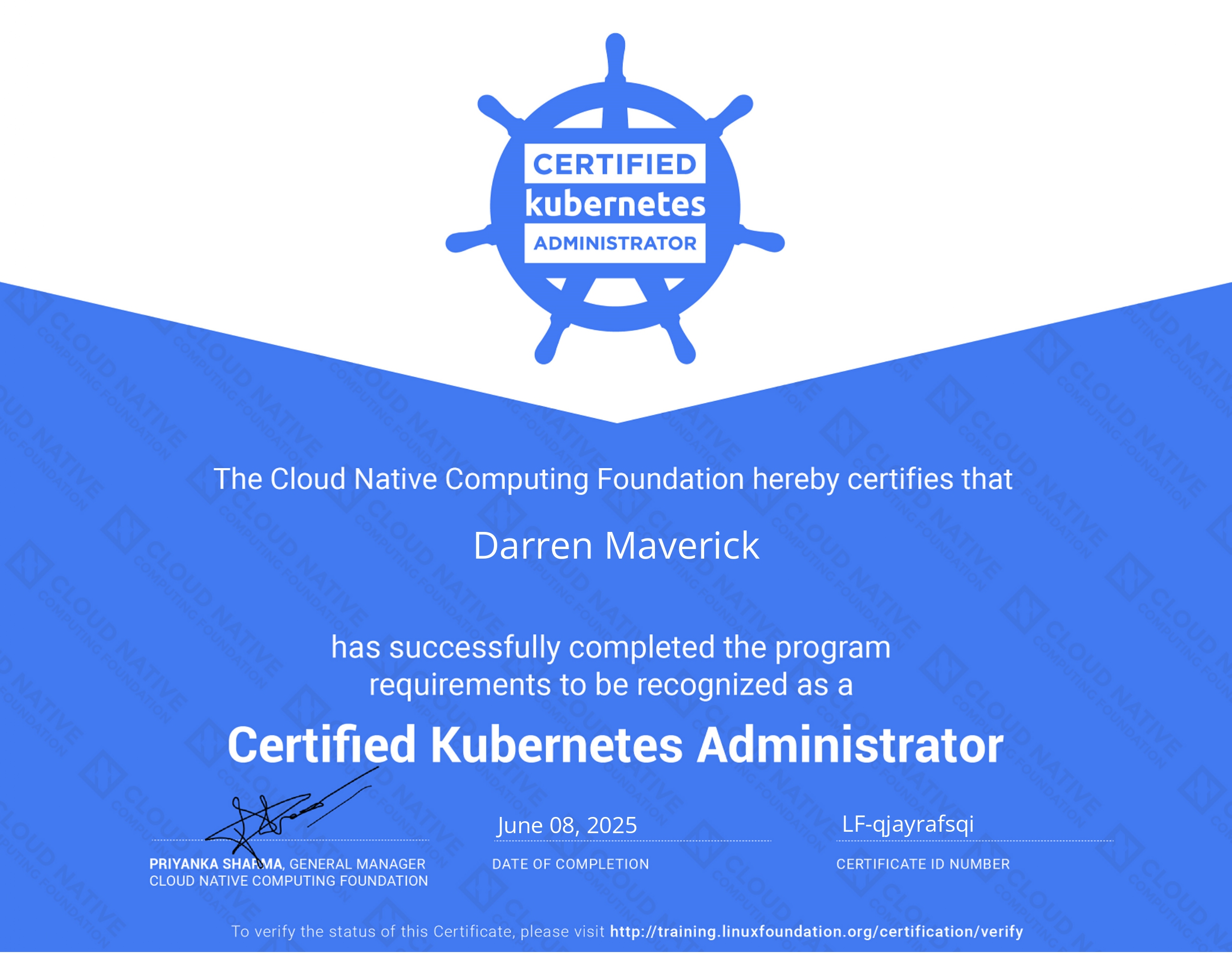
After weeks of endless kubectl applying and cluster troubleshooting, and then finding out how much harder the exam would be after the February changes, I hereby declare passed the Certified Kubernetes Administrator (CKA) exam!
Why I Took the CKA
I never had plans to take this exam, until I built my own Homelab where I experimented and learned on how to build the Kubernetes Cluster, check it out here 👉 How I setup my Kubernetes Cluster
Before diving into DevOps, I always had that feeling that Kubernetes would be insanely hard, where I need to understand everything in order to understand of how it works, and turns out I was not wrong.
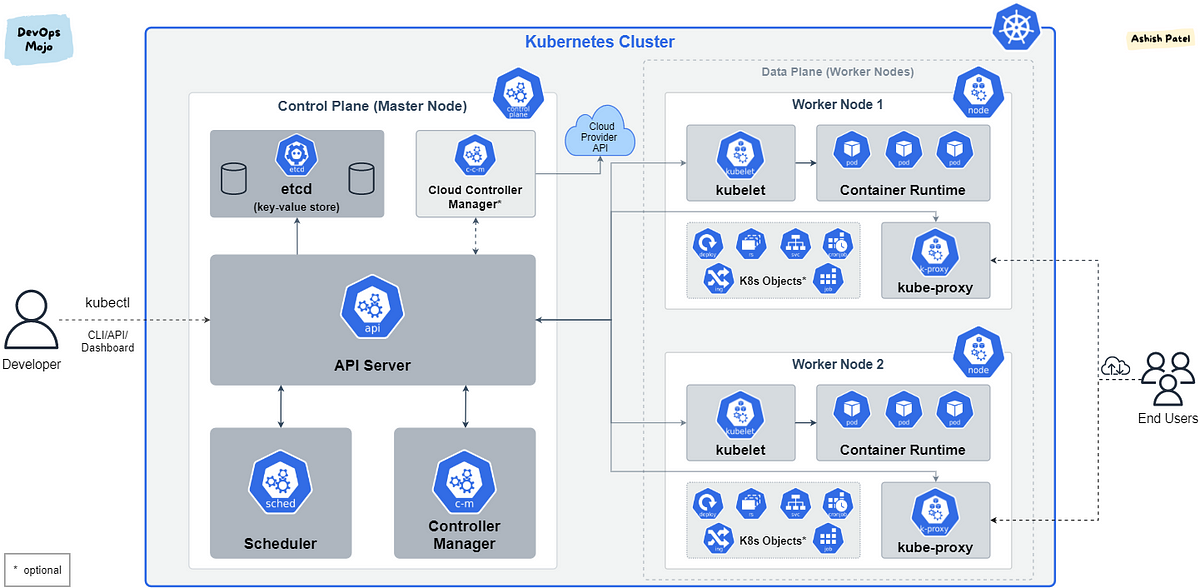
A minimal deployed Kubernetes Architecture:
Here is a list of minimal requirements that you need to know before even considering to touch Kubernetes:
- Basic to Intermediate Linux Skills
- Terminal Proficiency + Basic Text Editing skills (vi, nano)
- Basic System Administration (Cluster Setup, Troubleshooting, Debugging)
- HTTP & HTTPS (SSL/TLS)
- DNS
- Networking
- Containerization (Docker, Podman, CRI-O)
I feel challenged, I have never felt learning one singular tool would meant learning everything, hence I commited myself in 90 days of studying Kubernetes.
I’ve been building up my homelab to deepen my DevOps knowledge and found Kubernetes fascinating—but also intimidating. The CKA offered me a structured way to truly understand the internals of Kubernetes and practice operating a production-grade cluster. It aligned perfectly with my learning goals and career trajectory.
My Prep Strategy
Udemy Course w/KodeKloud
I learned every reasoning, concept, details that Kubernetes offers, ranging from Pods, Deployments, DaemonSets, ReplicaSets, Control Plane, ETCD, CoreDNS, Kubelet, Kubeadm, Kubectl, Storage Classes, PV, PVC, RBAC, and many more concepts that I have summarized in my notion here: Notion Kubernetes
Hands-On Lab Environment
Instead of using online sandboxes, I spun up my own Kubernetes cluster using kubeadm on local VMs:
| Hostname | vCPU | Memory | IP Address |
|---|---|---|---|
KUBE-MASTER-1 | 3 vCPU | 4 GiB | 192.168.1.11 |
KUBE-WORKER-1 | 2 vCPU | 2 GiB | 192.168.1.12 |
KUBE-WORKER-2 | 2 vCPU | 2 GiB | 192.168.1.13 |
This setup helped me solidify concepts like:
- kubelet/kubeadm/kubectl interplay
- containerd as CRI
- networking with Calico CNI
- debugging
kubectl describeoutput - configuring firewalls & IP forwarding manually
- deployment rollouts
Hands-On Lab Environment (KodeKloud)
A self-hosted Kubernetes environment is good enough to learn most of the stuff in the CKA Exam, but the exam also expects you as the administrator to troubleshoot any problems in the cluster, hence a Hands-On Lab environment by KodeKloud are perfect to train these problems that cannot be easily replicated in your perfectly crafted self-hosted Kubernetes server, here are a list of sample troubleshooting problems:
- ETCD certificate path error
- kube-apiserver is broken
- kubelet is not working, find out why
- A node needs to be upgraded to match the controlplane
Hands-On Lab Environment (Killer.sh)
Using Killer.sh Mock Exam preparation is mandatory because not only it is free (given two free attempts after you purchased the CKA Exam). It is also way harder and tedious than the real exam itself, which makes sure you overprepare for the exam.
Study Material
- Kubernetes Documentation (primary source during exam)
- Killer.sh simulator (included with exam purchase)
- Notes + repetition: I made Notion-style docs, which was gathered from KodeKloud
- ChatGPT: Learning from AI is the best to understand concepts, they also teach some cool shortcuts too!
Command Line Efficiency
I practiced these short commands until they were second nature:
# kubectl commands
k run nginx --image=nginx
k expose pod nginx --port=80 --target-port=80 --name=nginx-service
k create deployment myapp --image=nginx
k logs -f pod/myapp-xxxxxx
k edit deployment myapp
k get pod nginx --dry-run=client -o yaml > temp.yml
k exec -it nginx -- bash
k auth can-i [verb] [resource] --as=system:serviceaccount:[namespace]:[svc_acc_name]

# Crictl commands
crictl ps -a
crictl logs [container_id]
crictl -h

# Systemctl commands
systemctl stop kubelet
systemctl status kubelet # to know where the binary and service.d location
systemctl enable kubelet
systemctl start kubelet
Certification
 PS. I used nano text editor 😅